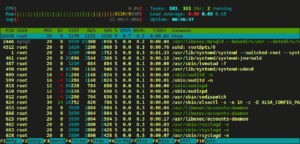
 In my previous blog post I talked about installing Manjaro Linux as the sole OS on my old MacBook Pro. That install is still running beautifully and I have not run into any significant problems so far. In this post I am going to go through the steps I followed to install htop on my Manjaro machine.
Installing Linux as the Only OS on MacBook Pro
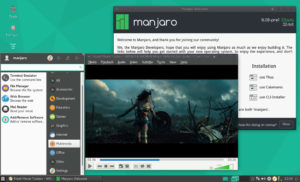
In this post I am going to briefly outline the process I went through installing a Linux distro to run as the only OS on my MacBook Pro. I will cover my process of experimenting with various distros and why I finally settled on Manjaro, and what hitches I ran into on the way and how I solved them.
Continue reading “Installing Linux as the Only OS on MacBook Pro”
Interview with Ryan Cramer – ProcessWire CMS Founder and Lead Developer
In this interview I talk to Ryan Cramer, founder and lead developer of the ProcessWire project. Ryan has been kind enough to share with us some insights into who he is and into the ProcessWire project – what it is, where it came from, what’s cool about it, and where it’s going. Whether you’re an avid ProcessWire fan or have never heard of it, I hope you find this post interesting, useful, and informative. Continue reading “Interview with Ryan Cramer – ProcessWire CMS Founder and Lead Developer”
Quick Tip: MODX – Modify the date format for the TwitterX output
While working on a MODX client project I used the TwitterX snippet, which uses the new Twitter 1.1 API, to pull in the clients twitter feed to her site. The snippet comes with a default tpl chunk which you should duplicate and modify for your purposes as I have done below to format the tweet feed as you please.
Continue reading “Quick Tip: MODX – Modify the date format for the TwitterX output”
An Unexpected Conversation with a Hacker
Before I proceed, I want to state that I don’t know Verite’s gender, I didn’t ask. So my references to “he” and “him” are purely an assumption on my part. What I do know as facts is that Verite identifies himself as a hacker and reports that he is a teenager.
Yesterday afternoon (Kiwi time), a user with the twitter handle @V3R1T3 sent me a tweet and asked me to pass on a message to the MODX team because they had “blocked” him. Initially, I wasn’t sure that I wanted to engage in conversation with Verite given that he had publicly admitted to defacing the http://modx.com website and had posted a pastebin with some MODX users account information on the web. However, given these facts, the fact that I run MODX on several sites and have an account at modx.com, and my own innate curiosity, I decided to respond, ask a few questions, and see what I could find out. The resulting conversation was quite interesting and I asked Verite if I could post the chat verbatim on this blog for anyone who might be interested. We chatted for a while on twitter and then moved the conversation to Skype.
To give this conversation some context, I will post a bit of background on the events that led up to it. Continue reading “An Unexpected Conversation with a Hacker”